Choose the Trading Platform That Suits You

Use Bybit or Cleo for your Mubite program. Both provide simulated trading with live market data, but their setup, tools and regional availability differ.

Bybit
Cleo

How each platform works

See what trading looks like on each platform, from setup to market data and tools.

Bybit

Bybit

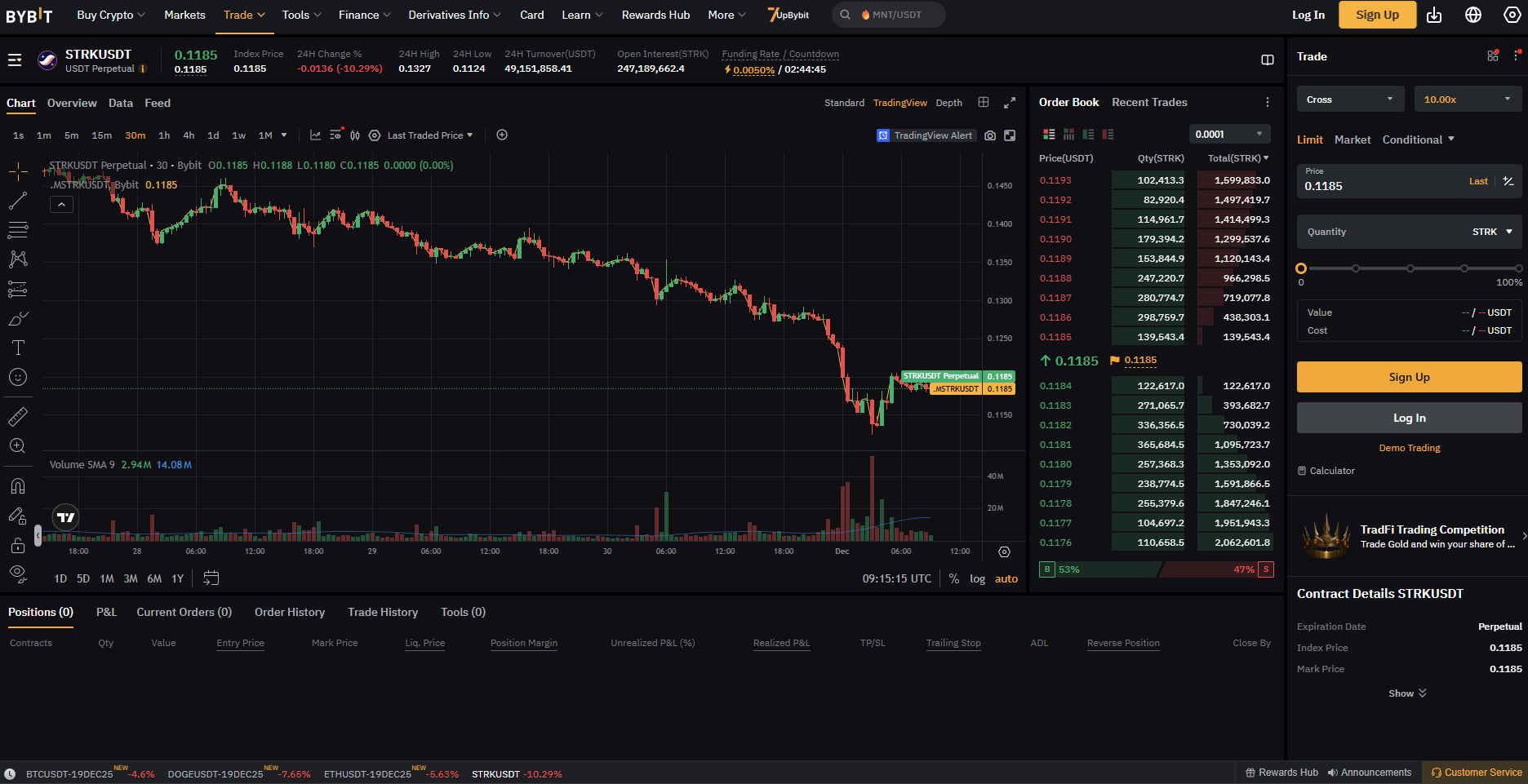
Use Bybit’s exchange interface with your Mubite program, connected through API keys.

Trading experience
Bybit's own interface, charting and order types.
Market data
Live Bybit market data.
Setup
Create a demo subaccount on Bybit, then generate API keys (codes that let Mubite follow your trades) and add them to your Mubite dashboard.
Cleo

Cleo

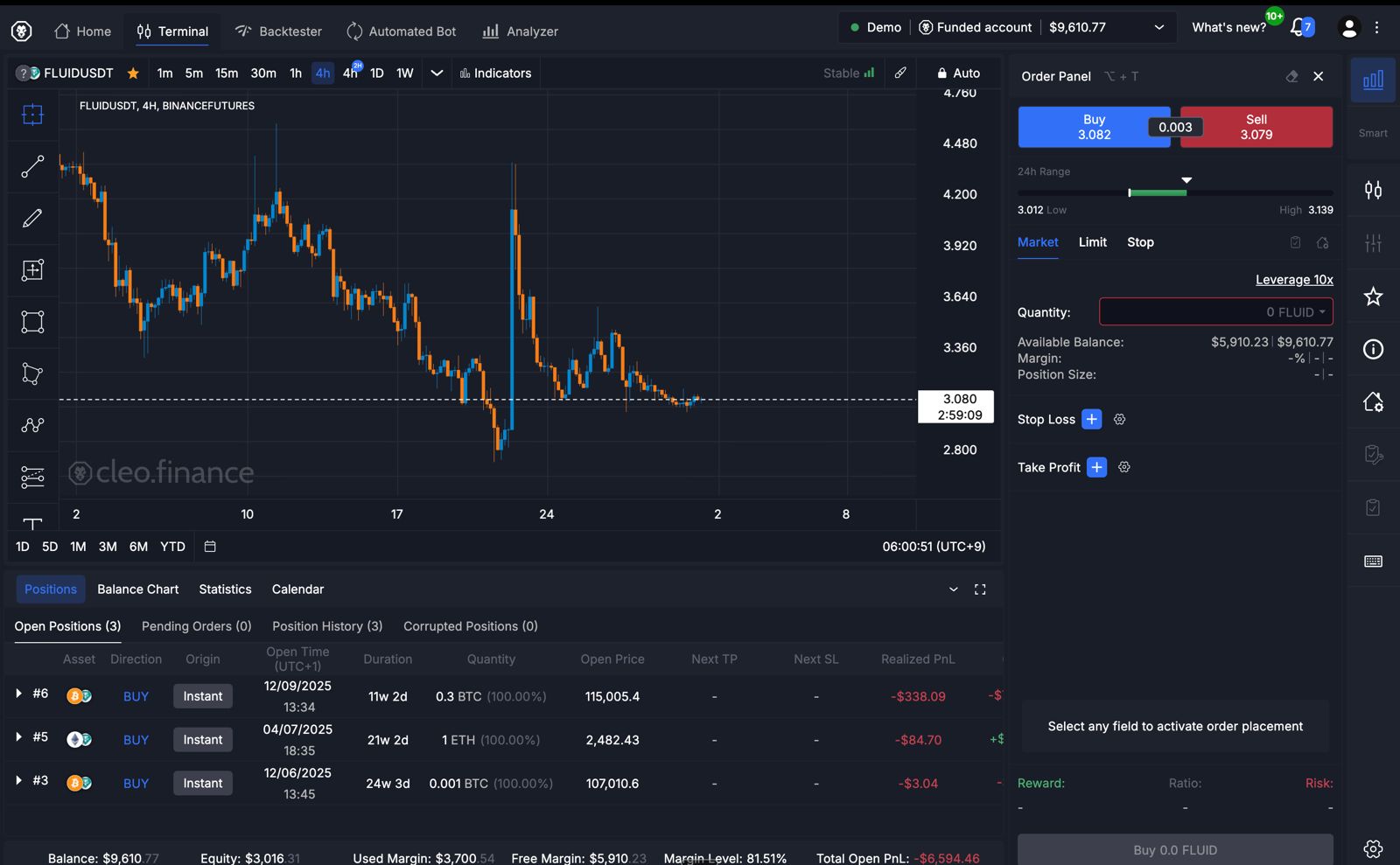
Use Cleo’s dedicated simulated trading environment, with no API-key setup required.

Trading experience
Cleo's interface, with preset stop-loss and take-profit levels and automatic position sizing.
Market data
Live Binance market data through Cleo.
Setup
No API keys. Your account is created when you choose Cleo, and you set a password from the email Cleo sends you.

Which platform should I choose?

Choose based on the tools you prefer, the setup you’re comfortable with and availability in your region.

Bybit could suit you if…

  • You already use Bybit or want a familiar exchange-style experience.
  • You want more choice in how you place and manage trades.
  • You want your simulated trades to follow live Bybit market conditions.
  • You’re comfortable following a few extra steps to connect your Bybit account.

Cleo could suit you if…

  • You prefer a simpler, more guided trading experience.
  • You want built-in tools to help manage risk and trade size.
  • You want your simulated results to include modelled fees and price changes.
  • You want a quicker setup without connecting API keys.

Bybit and Cleo side by side

Compare the key differences at a glance.

What it is

Bybit
A major crypto exchange you connect to your Mubite program.
Cleo
A dedicated platform for simulated trading.

Available markets

Bybit
600+ USDT futures markets.
Cleo
360+ USDT futures markets using Binance market data.

Setup and connection

Bybit
A Bybit demo subaccount linked to Mubite using API keys.
Cleo
An account Mubite creates for you. Nothing to generate or connect.

Trading experience

Bybit
The full Bybit exchange screen, with chart, order book and positions in Bybit’s own layout.
Cleo
A terminal built for simulated trading, with a guided order panel rather than a full exchange screen.

Trading tools and risk controls

Bybit
Bybit’s own charting and order types. You choose the order type and size, and set stop-loss and take-profit on each trade.
Cleo
Preset stop-loss and take-profit levels with automatic position sizing, built into the order panel.

How trades are simulated

Bybit
Orders are simulated against live Bybit market conditions.
Cleo
Orders are simulated by Cleo, which models spreads, slippage and market depth.

Your Mubite program and its rules stay the same whichever platform you choose.

Trading terms explained

Plain-English definitions for the terms used in this comparison.

API keys
Codes you generate on Bybit and paste into Mubite so it can follow the trades on your demo subaccount.
Order types
The different ways to place a trade: for example buying straight away at the current price, or setting the price you want and waiting for the market to reach it.
Spread
The gap between the buying price and the selling price. You cross it whenever you open a trade, so it works like a small cost.
Slippage
The difference between the price you expected and the price you actually got, which can happen when the market moves quickly.
Market depth
How many buy and sell orders are waiting at each price. Deeper markets absorb larger trades with less movement in the price.
Position sizing
How much you put into a single trade. Sizing is the main way traders control how much one losing trade can cost them.
Stop-loss
An instruction to close a trade automatically if it moves against you by a set amount, so the loss is capped.
Take-profit
An instruction to close a trade automatically once it reaches a set level of profit.

Platform availability

Platform availability varies by region. In some locations, accessing Bybit may require a VPN. Check your options before purchasing a Mubite program.

Bybit and Cleo set their own regional availability, which may change. Mubite’s eligibility rules apply separately.

Not sure which platform is available to you? Contact support before you buy.

Getting set up

Here’s what you’ll need to do for each platform.

Bybit setup

  1. 1Create a Bybit account if you do not already have one.
  2. 2Create a new demo subaccount with no trading history, then generate read-write API keys.
  3. 3Connect those keys in your Mubite dashboard to start your program.

Cleo setup

  1. 1Choose Cleo when you configure your Mubite program.
  2. 2Your Cleo account is created for you, so there are no API keys to generate.
  3. 3Set your password from the email Cleo sends you, then start trading.

Ready to choose your Mubite program?

Choose your Mubite program and account size, then select Bybit or Cleo before checkout.

All information on this site is provided by Mubite for educational purposes only, specifically related to financial market trading. It is not intended as an investment recommendation, business advice, investment opportunity analysis, or any form of general guidance on trading investment instruments. Trading in financial markets involves significant risk, and you should not invest more than you can afford to lose. Mubite does not offer any investment services as defined under the Capital Market Undertakings Act No. 256/2004 Coll. The content on this site is not directed toward residents in any country or jurisdiction where such information or use would violate local laws or regulations. Mubite is not a brokerage and does not accept deposits. All trading accounts provided by Mubite are simulated demo accounts using live market data. No client funds are traded on live markets. Payout figures shown are individual results and are not typical. Past performance does not guarantee future results.

Mubite s.r.o., Školská 660/3, Nové Město, ICO: 23221551 Praha 1, 110 00, Czech Republic | Copyright Ⓒ 2026 Mubite. All Rights Reserved.